Find it at a store near you.
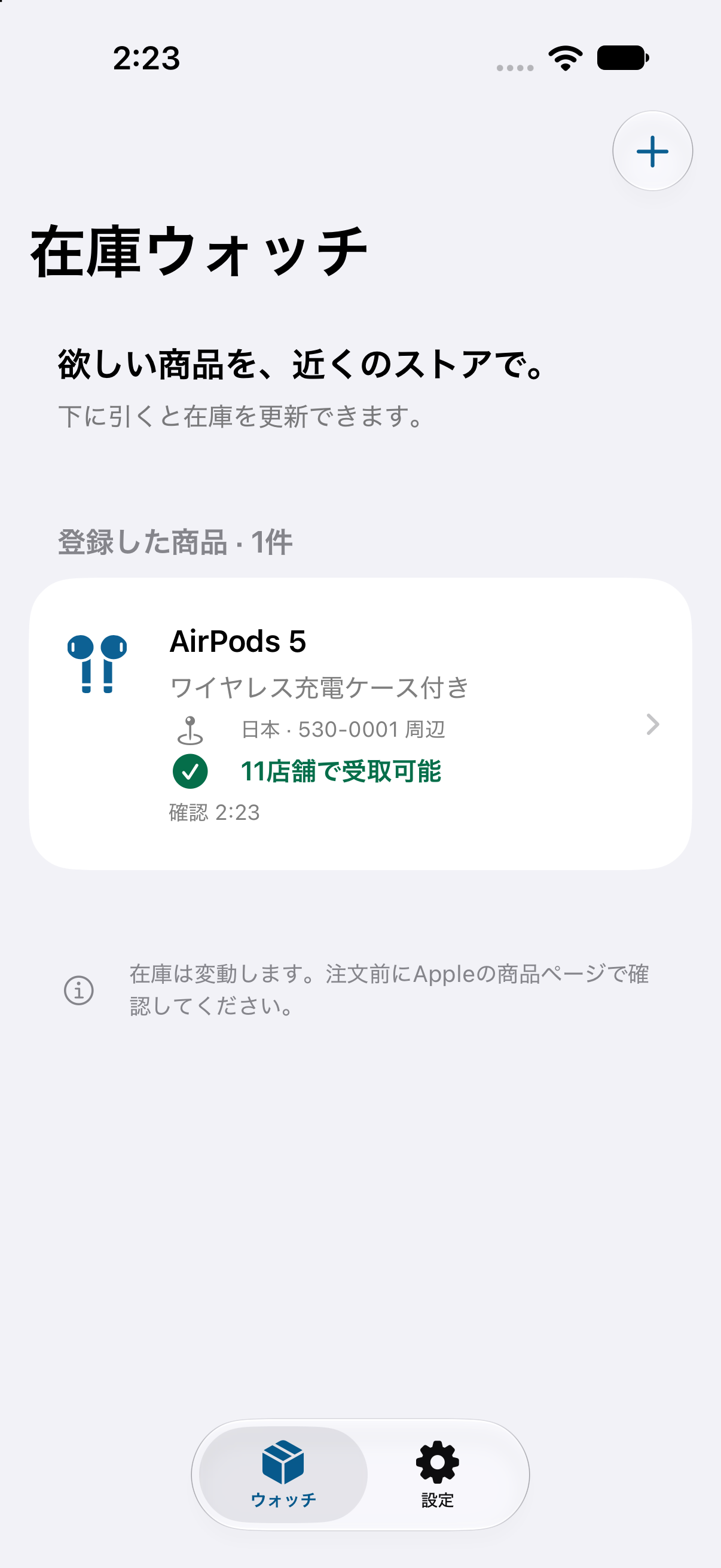
Paste an Apple product page URL and Store Watcher checks in-store pickup availability at Apple Stores near you, then hands you off to Apple's own product page to buy.
An app for iPhone and iPad. Currently being prepared for re-release.
What it does
Four steps, from saving a product to collecting it in a store.
-
Add a product by URL
Paste the URL of an Apple product page and the app reads the product name, part number and sales region. You choose the configuration — colour, capacity and so on — yourself.
-
Pickup at nearby stores
Enter a postal code or city and the app looks up nearby Apple Stores, showing each one as available, unavailable, unknown or ship-to-store.
-
Restock alerts
Get notified when a product at a store you chose changes from unavailable to available for pickup. Stop watching a single product, or everything, at any time.
-
Buy in the Apple Store
Open the matching Apple product page straight from the app. Choosing a pickup store and completing the purchase happens with Apple.
Restock alerts are still in preparation. The notification server is not yet running in production. It is not something you can use today, and there is no announced date for it.
Restock alerts in your browser, too.
Save an Apple product URL and your preferred stores to receive an alert when pickup becomes available. Pause or delete each watch, then continue to Apple's own page to order.
Web alerts are being prepared for launch. On supported iPhones and iPads, add the page to your Home Screen before allowing notifications.
Regions
You can choose from the 27 countries and regions that have Apple retail stores. The interface is currently available in Japanese and English only.
- Store lookups have been verified at representative locations in 25 of those countries and regions. This is not a guarantee that every store, product or postal code works.
- In Brazil and Macau, pickup availability cannot currently be retrieved this way. They remain in the region list, but new watches cannot be started there.
- Some products are not offered for in-store pickup, and product line-ups differ between regions.
About stock and purchases. Availability is shown as of the moment it was checked. Stock changes after that, and seeing a product listed is not a guarantee that you can buy or collect it. Always confirm on Apple's own product page before ordering.
Privacy
Only what a lookup actually needs.
- No name, email address or precise GPS location is required.
- Pickup lookups use the country or region, the part number and a postal code or city.
- The watch list shows Google AdMob banner ads. Your saved products, postal code and watched stores are not passed to ad requests as targeting information.
- Ad consent is checked where required, and privacy choices can be changed in the app settings when applicable.
Where things stand
- The app is being prepared for re-release. There is no release date to announce yet.
- The restock alert server is not yet running in production.
- An Android version and Google Store availability checks are planned, not built. The current app is for iPhone and iPad and covers Apple Store pickup only.